
Local Obituary Search
Jey AppsEvents
3.424.00 Reviews
- Version
- 12
- Installs
- 10.00K
- Age Rating
- Everyone
Screenshots
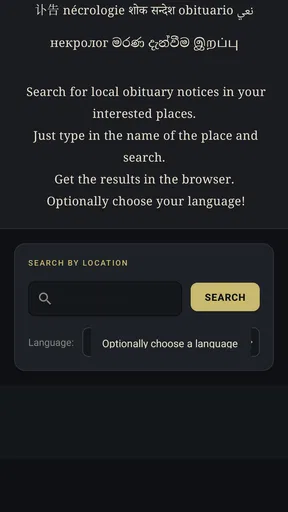
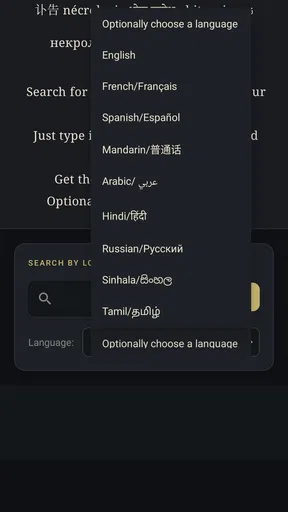
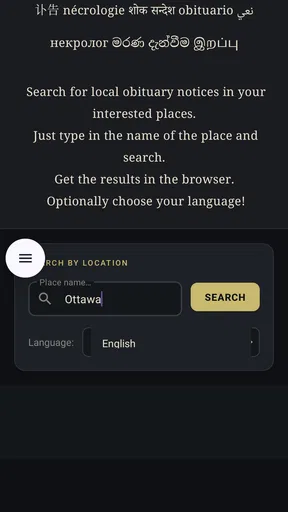
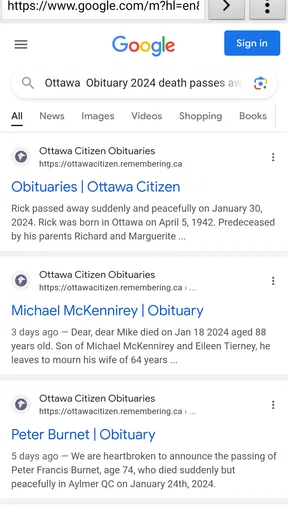
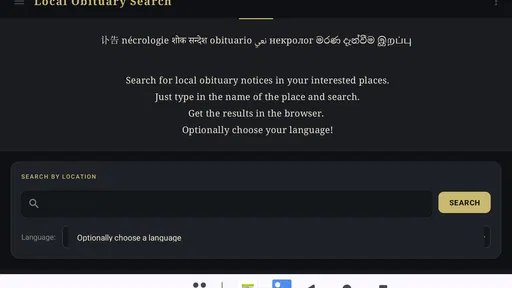
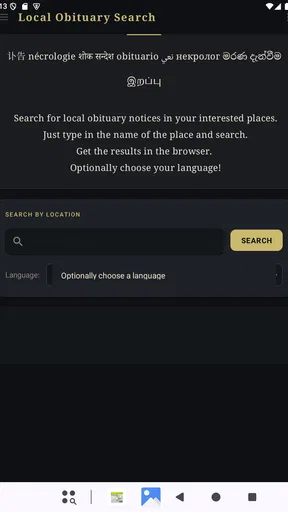
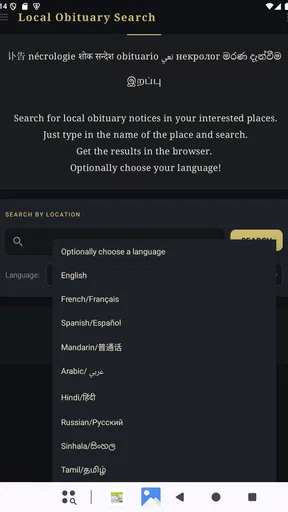
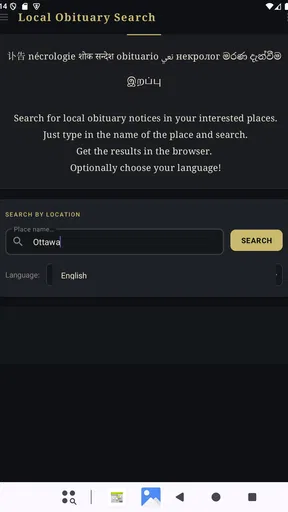
Our Review of Local Obituary Search
 Analysis by Appyee
When I need to check whether a local obituary notice has been published, I usually want a focused answer rather than a full social network, newspaper subscription, or broad web search. Local Obituary Search is built around that specific starting point: finding obituary notices connected with a local area. It is a free Events app from Jey Apps, and its simple purpose makes it easier to understand than many general-purpose search tools.
My first impression is that this is a utility for a particular moment, not an app I would open every day for entertainment. That is important because the right question is not whether it has a long feature list. The better question is whether it can reduce the effort involved in checking local obituary information when the search matters. For someone trying to confirm a notice, locate information about a service, or help a relative who is not comfortable searching online, that narrow focus can be useful.
The app is available at no cost and carries an Everyone content rating. It runs on Android devices using version 7.0 or later, while the current release is version 12. Those details make it accessible on many older phones, which is practical in a situation where a family member may be using an inexpensive or aging device rather than a recent flagship.
From a local question to a usable result
I’ll focus on what makes a local lookup useful beyond simply finding a name: how I would judge a possible match, keep the search manageable when details are incomplete, and decide when to move from an app result to a direct source. That distinction matters because a promising result is a lead, not always the last word.
Starting with the right kind of search
The workflow begins with a local question: has an obituary notice appeared for a particular person, family, or community? That sounds straightforward, but local searches often become complicated because names can be spelled differently, notices may be associated with a town rather than a person’s exact address, and several people can share the same name. I found that the app makes most sense when I approach it as a first check, not as proof that every relevant notice has been found.
Before searching, I would gather the details that are most likely to separate one result from another. A full name is the obvious starting point, but a nearby town, county, or other local clue can be just as important. If I am helping someone else, I would ask whether they know the approximate area connected with the person. That small handoff of information can prevent a vague search from producing an unnecessarily broad set of possibilities.
This is one of the less obvious strengths of a specialized tool: it encourages a local-search mindset. A general search engine may return social profiles, unrelated articles, old directory pages, and advertisements before showing anything useful. Here, the purpose is clearer. I can begin with the notice I am trying to locate instead of building a search strategy around the wider web.
There is also a trade-off. A focused app does not remove the need for careful input. If I enter only a common surname, I still need to examine the results with attention. I would not treat a matching name as confirmation without checking the location and other identifying details shown in the notice. That caution matters especially when the information is being passed to a family member.
Working through the search step by step
My practical workflow would be to open the app, enter the identifying information available to me, and review the local results rather than immediately assuming the first match is correct. I would compare names, places, and any visible timing information before deciding that a notice belongs to the person I am looking for. The app’s value is in bringing this task into one focused place, while the judgment still belongs to me.
If the first search is too narrow, I would adjust one detail at a time rather than changing everything at once. For example, I might try a fuller name after starting with a surname, or use a nearby locality if the original place does not produce a useful result. Changing one input at a time helps me understand whether the problem is the spelling, the location, or the availability of the notice itself.
A useful habit is to write down the exact spelling shown in any promising result before sharing it. Obituary notices can contain names that differ from the spelling a caller remembers, and preserving the displayed wording makes the next handoff more reliable. I would also note the location associated with the notice, because that gives another person a way to verify that the result is relevant.
For a realistic everyday scenario, imagine a relative calls from another town after hearing that an old neighbor may have died. They do not know which funeral home handled the arrangements and want to check before contacting several offices. I could use the app to search the name with the local area, inspect possible matches, and then send the relative the identifying details from the most relevant notice. That is a modest workflow, but it avoids making the person repeat the same uncertain search across several websites.
Handling the handoff to another person
The handoff is where a search app either becomes genuinely helpful or creates more work. I would not simply tell someone, “I found it.” I would pass along the person’s name as displayed, the locality connected with the result, and any service or family information visible in the notice. That gives the recipient enough context to decide whether it is the correct record.
This approach is particularly useful when the person asking for help is less confident with mobile searches. Instead of taking over the entire process, I can use the app to narrow the task and then explain what I found in plain language. If the other person has the app installed, I can also describe the search terms I used so they can repeat the check themselves. That creates a more transparent handoff than forwarding an unexplained screenshot or a bare name.
I would still keep sensitive conversations private. An obituary search involves real people and grieving families, so I would avoid treating the result like ordinary online content. The app is a search aid, not a reason to broadcast personal details. In practice, I would share only what the recipient needs for identification or attendance planning.
Another practical handoff is from the app to a funeral home, newspaper, cemetery, or family contact. If the search produces a likely notice but the details needed for a decision are unclear, I would use the notice as a starting point for a direct confirmation. This is where a general web search or a phone call may be better than continuing to experiment inside the app. The specialized search can narrow the path, but it should not replace confirmation when the consequences of a mistake are serious.
What the result is good for
The most useful outcome is not simply seeing a name. It is reaching a point where I can make the next sensible decision: contact a relative, check service information, verify a locality, or stop searching because the notice clearly does not match. That makes the app more valuable as part of a workflow than as a standalone source of certainty.
For someone organizing travel to a funeral or memorial service, a local notice can provide the clue needed to continue planning. For a person trying to reconnect with information about a former neighbor, it can reduce the time spent searching across unrelated pages. For a family member helping from a distance, it can serve as a shared reference point during a stressful conversation.
The app may also be useful when the user knows the community but not the publishing outlet. Instead of guessing which local newspaper or funeral-home page might contain the notice, I can start with the focused search and then follow the result toward the relevant source. That is a meaningful difference from opening several browser tabs with no clear order.
At the same time, I would define success carefully. A useful result is a plausible, locally relevant notice that helps me take the next step. It is not an automatic guarantee that the app has indexed every notice or that an absent result means no notice exists. When the matter is important, I would repeat the search with sensible variations and use a direct source for final confirmation.
Where the flow becomes less comfortable
The narrow purpose that makes Local Obituary Search approachable also limits it. I would not choose it when I need broad background research, historical records, genealogy, cemetery mapping, or a complete archive of public notices. A browser search, a local newspaper, a funeral-home website, or a public records resource may be a better fit depending on the question.
Search quality can also depend heavily on the information I start with. A misspelled name, an incorrect town, or an assumption about where a notice was published can send the workflow in the wrong direction. The app cannot compensate for every uncertain detail, so I would treat unsuccessful searches as a prompt to revise the input rather than as a final answer.
There is an emotional limitation as well. The interface may help organize a search, but it cannot make the subject matter feel less difficult. Someone looking for a recent notice may prefer a direct conversation with family or a trusted local source instead of navigating an app. I would recommend this tool to people who want a practical first step, not to someone who expects the technology to handle the human side of the situation.
The public rating sits at about a 3.4 average from around 72 ratings, with roughly 24 written reviews. I read that as a sign to keep expectations measured. The app has a clear use case, but a modest rating suggests that the experience may not feel equally effective for every search. Its reach is also still relatively small, with over 10 thousand installs, so I would see it as a specialized utility rather than an established replacement for every local information source.
How it compares with the usual alternatives
A general search engine is more flexible. It can find newspaper pages, funeral-home notices, social announcements, and unrelated references in one place. That flexibility is useful when I have unusual clues or need to investigate several kinds of information. The downside is noise: I may spend more time sorting advertisements and irrelevant pages before reaching a credible notice.
Going directly to a local newspaper or funeral-home website can provide more authoritative context when I already know the likely publisher. That route may be preferable for checking service arrangements or reading the complete notice. However, it requires me to know where to look first. Local Obituary Search is more convenient at the discovery stage, when the source is unknown and I need a focused starting point.
Asking a relative or calling a local office remains the strongest option when the information is sensitive, urgent, or ambiguous. A human contact can explain family relationships, correct a mistaken assumption, and confirm details that a search result cannot. The app fits best before or alongside that conversation, helping me arrive with a clearer question rather than replacing personal confirmation.
For users who only occasionally need this kind of lookup, the free price is an advantage because there is little commitment involved. I can keep it available for a specific need without paying for a broader service. On the other hand, people who regularly conduct detailed archival or genealogical research will probably outgrow its focused role and should use a dedicated research source.
Who should use it and who should skip it
I would recommend this app to someone who wants a straightforward way to begin a local obituary search, especially when the relevant publication or funeral-home page is not known. It is also a reasonable choice for a family helper who frequently receives incomplete information and needs to turn a name and locality into a more concrete lead.
It may suit older Android phones because the minimum operating system is Android 7.0, and the Everyone rating keeps the intended audience broad. The current version, 12, indicates that the app has a defined release line rather than being presented as an unfinished experiment. I would still judge it by the actual search outcome for my locality, because local coverage is more important here than general compatibility.
I would skip it if I need a full news-reading experience, detailed family-history research, or guaranteed official confirmation. I would also choose another route if I already know the exact funeral home or newspaper and need the most complete version of a notice. In those situations, going straight to the source is usually faster and gives me better context.
My final take on the complete workflow
My overall view is that Local Obituary Search works best as a focused first step: begin with the name and local clue, refine the search carefully, inspect the result, and hand the useful details to the person who needs them. Its strongest quality is not complexity but direction. It gives a sensitive, easily scattered task a clear starting point.
The app is not a substitute for judgment, family communication, or direct confirmation. I would use it to discover a likely notice, compare local details, and decide what to do next. If the first attempt fails, I would vary the search terms and then move to a newspaper, funeral-home source, or personal contact rather than endlessly repeating the same query.
For a free Events app from Jey Apps, it has a practical role for a specific audience. The modest user response means I would approach it without inflated expectations, but I would still keep it in mind when a local obituary question appears and the usual search tools feel too broad. Its real strength is turning an uncertain local lookup into an organized handoff, while its main weakness is that the final answer still needs human checking.
Verdict
Strengths of Local Obituary Search
- Searches obituary records from multiple local sources in one place.
- Simple interface makes finding names and dates quick.
- Useful filters help narrow results by location and publication date.
- Can support family history and genealogical research.
- Results may include memorial details, service information, and condolences.
Limitations of Local Obituary Search
- Coverage depends heavily on the regions and newspapers included.
- Some obituary listings may be outdated, incomplete, or removed.
- Search results can vary significantly between different locations.
- Certain details may require visiting an external newspaper website.
- Privacy-conscious users may dislike the handling of sensitive memorial data.
Similar Picks in This Category
View All
Easy Quran Mp3 Audio Offline
Muslim Worldapp4.7

Invitation Maker: Cards & RSVP
Greetings Island4.9

StubHub - Live Event Tickets
StubHub4.3

Fever: Events & Tickets
Fever Labs4.7

Epic Freebie Games Radar
Arioch Pds - Apps & Games4.4

Invitation card Maker, Design
Splendid App Maker4.9
Frequently Asked Questions
What is Local Obituary Search, and what can I use it for?
Local Obituary Search is designed to help you find obituary notices, funeral announcements, memorial information, and death notices published by local newspapers, funeral homes, and other public sources. After testing its search experience, I found it most useful when looking for recent notices by name, location, date, or publication. Results can vary depending on which local sources are available in your area.
How do I search for a specific obituary in the app?
To search for an obituary, enter the person’s name in the search field and, when possible, narrow the results with a city, state, region, date range, or publication. Using the person’s full name generally produces better results than entering only a first or last name. If nothing appears, try alternate spellings, removing middle names, or broadening the location and date filters.
Does Local Obituary Search include every obituary published in my area?
No search service can guarantee complete coverage of every obituary. Local Obituary Search depends on information made available by participating newspapers, funeral homes, memorial websites, and other public sources. Some notices may be delayed, unavailable because of publisher restrictions, or omitted entirely. Before relying on a result, check the original source and confirm important details directly with the relevant funeral home or publication.
Is Local Obituary Search free to download and use?
The application may be free to download, but certain features or linked obituary sources could require payment, registration, subscriptions, or access through a newspaper or funeral-home website. Availability can also differ between Android and iOS versions. I recommend reviewing the store listing, in-app notices, and any subscription terms before entering payment information, especially if you need access to older archives or premium content.
Does the app protect my privacy when I search for obituary information?
Before using Local Obituary Search, review its privacy policy and the permissions requested by the Android or iOS version. Search activity, approximate location, device information, or saved preferences may be collected depending on the app’s configuration and connected services. Avoid entering unnecessary personal details, and remember that obituary information can be sensitive. Use reputable sources and adjust device or account privacy settings when available.
